Reviewer Role
Last updated: March 13, 2026
A Reviewer is a user assigned to evaluate jobs before they can be approved and processed.
What Does a Reviewer Do?
Reviewers examine job details, verify accuracy, and confirm that all information is correct before a job moves forward in the approval workflow. They act as a checkpoint to ensure data quality and compliance.
How Reviewers Are Assigned
Reviewers are assigned at the job level or via assignment workflows. When a job requires review, the assigned reviewer receives visibility into that job on their Home Page under Awaiting your approval or assigned review.
Adding Job Reviewer from Job Header:
You can add a reviewer or multiple reviewers from the top right section in job header .
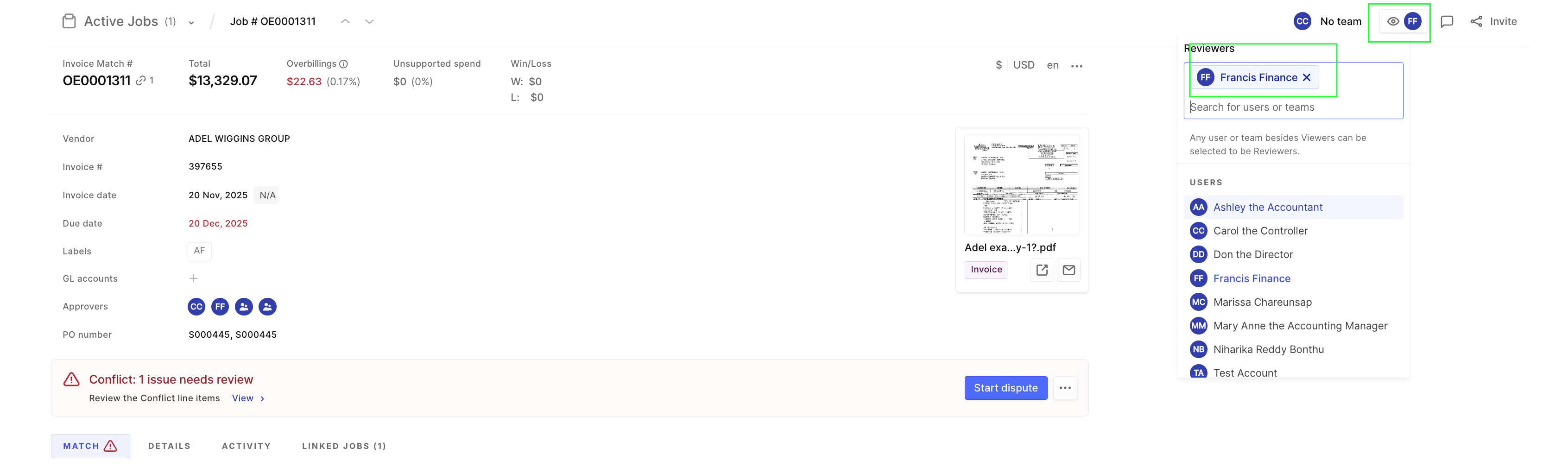
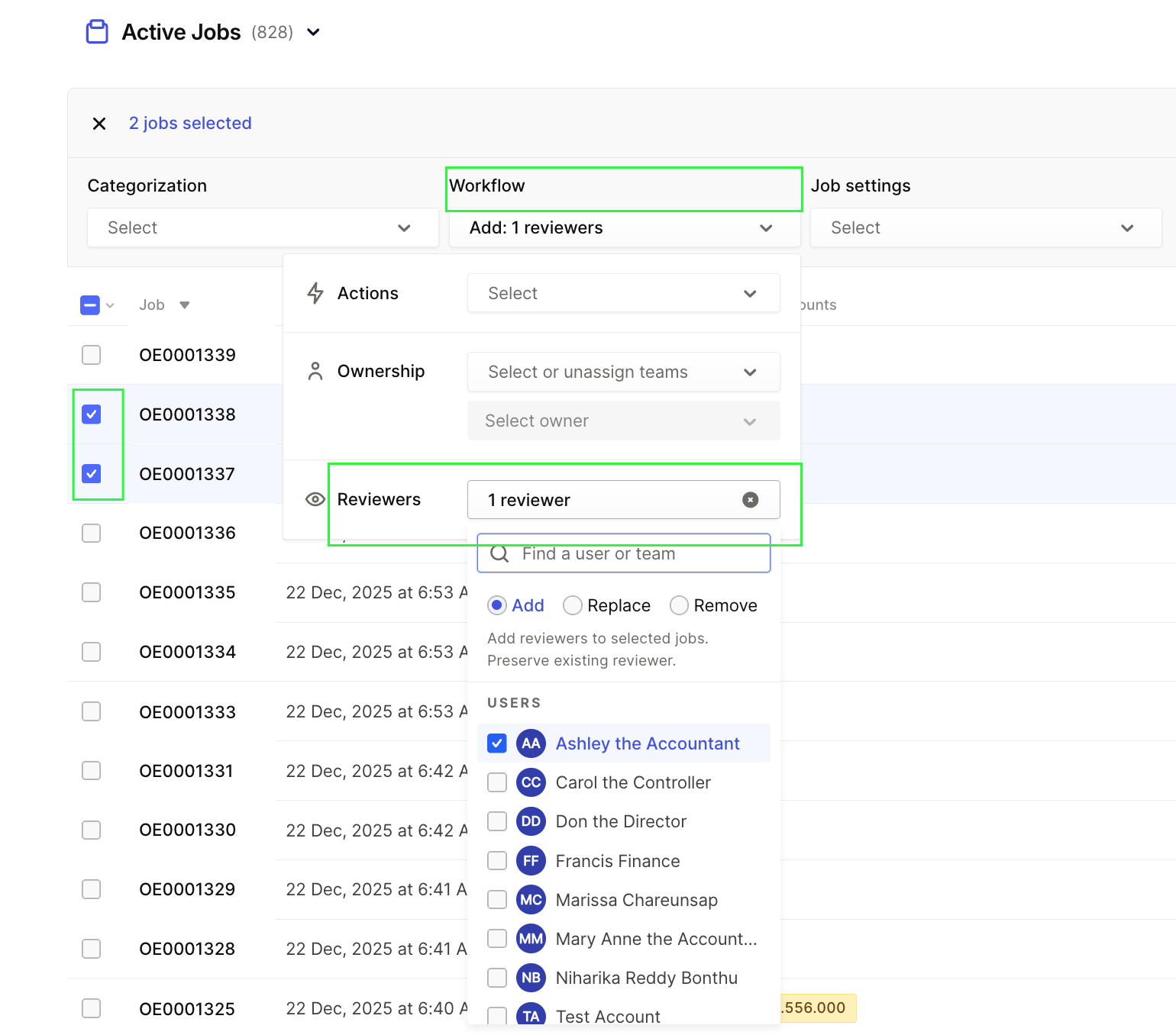
Adding Job Reviewer from bulk edit in job list page:
You can add reviewers at bulk from the active job list pages of our application.
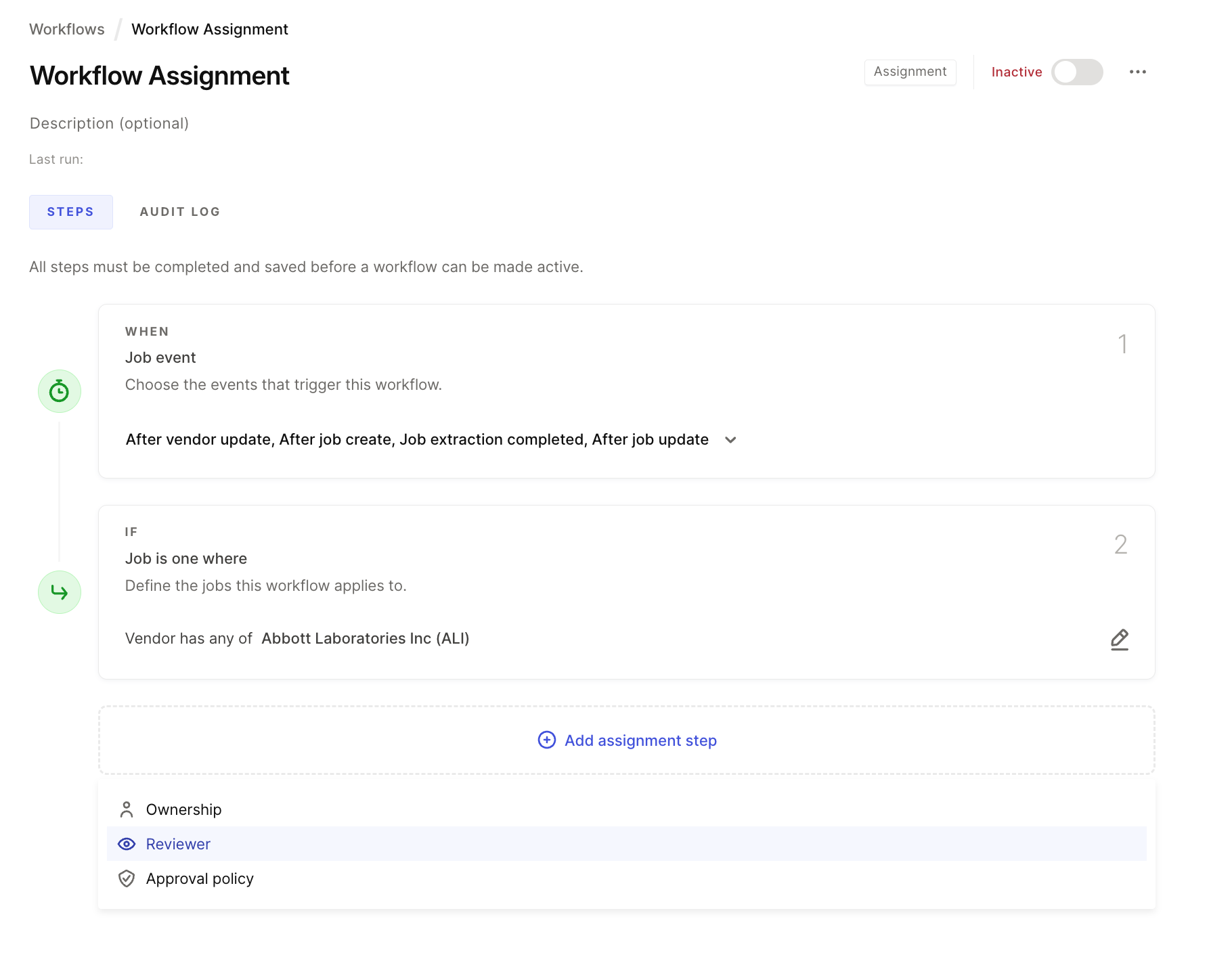
Adding Job Reviewers from Assignment Workflows:
You can add reviewers via assignment workflows :
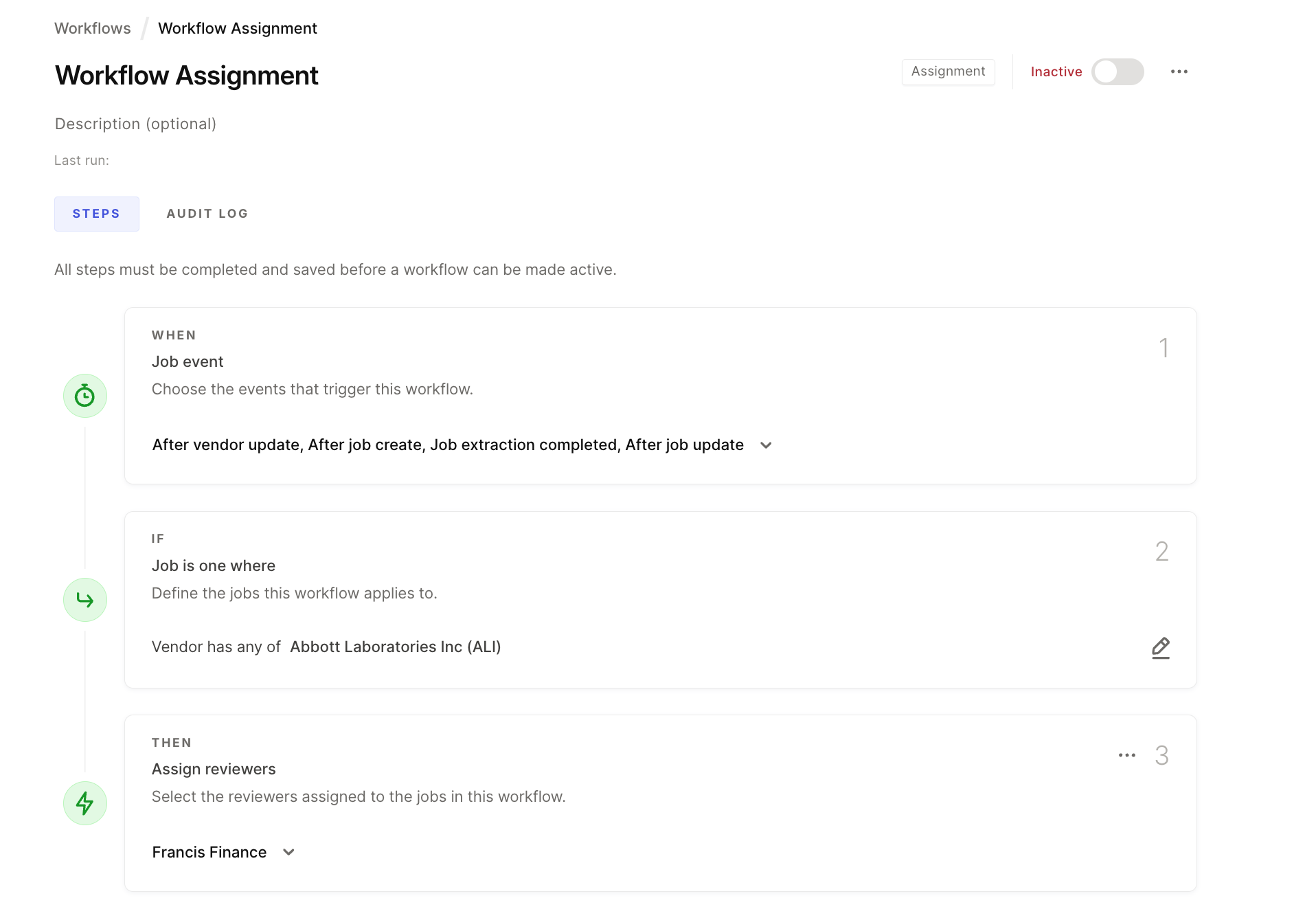
Reviewer vs. Approver
Role | Role Responsibility |
Reviewer | Evaluates job details and flags issues, also can be approver |
Approver | Gives authorization to process the job |
A user can be both a reviewer and an approver, depending on their permissions and the specific job assignment.
Accessing Jobs for Review
Jobs assigned to you for review appear on your Home Page. You can also filter your job list page with Reviewer key.
