Manual PO Matching in OpenEnvoy (Half Steering Wheel)
Last updated: May 12, 2026
Manual PO Matching is OpenEnvoy’s guided “human-in-the-loop” workflow for the small percentage of invoices where automated matching analysis doesn’t reach a high-confidence PO line recommendation. It’s designed to keep your process moving while still maintaining control, auditability, and accuracy—especially for complex purchasing patterns like blanket POs, repeated item numbers, or invoices where multiple PO lines could be valid matches.
OpenEnvoy’s AI identifies suitable options based on available data and matching criteria, and your team makes the final selection when needed.
When should you use Manual PO Matching?
Use Manual PO Matching when an invoice can’t be fully matched automatically, such as when:
Multiple PO lines look like plausible matches for a single invoice line.
Blanket or long-running POs create repeated items/descriptions that are hard to uniquely match.
The invoice is close to matching, but needs a human decision to resolve an edge case or exception.
Your process requires a PO match before the invoice can move forward (for example, you cannot simply approve without matching).
What you’ll see on the Manual PO Matching screen
The Manual PO Matching screen is designed so you can make a matching decision without jumping between multiple pages.
On this screen, OpenEnvoy shows:
The invoice line(s) you are trying to match
A set of candidate PO line(s) that are most likely to match
Key PO context and line-level details OpenEnvoy has already pulled in, such as:
PO number and other identifying details
Item description and/or part/item identifiers (when available)
Unit of measure
Unit price and line amount
Ordered / received quantities (as available)
Available quantity (what remains to be matched/consumed)
This contextual PO information is intentionally presented inline so users can validate they are selecting the correct line(s) directly in the matching workflow.
How to manually match an invoice to a PO (step-by-step)
Open the invoice that needs attention
Navigate to the invoice/job that is in a matching exception state (for example, pending matching or requiring review).
Launch Manual PO Matching
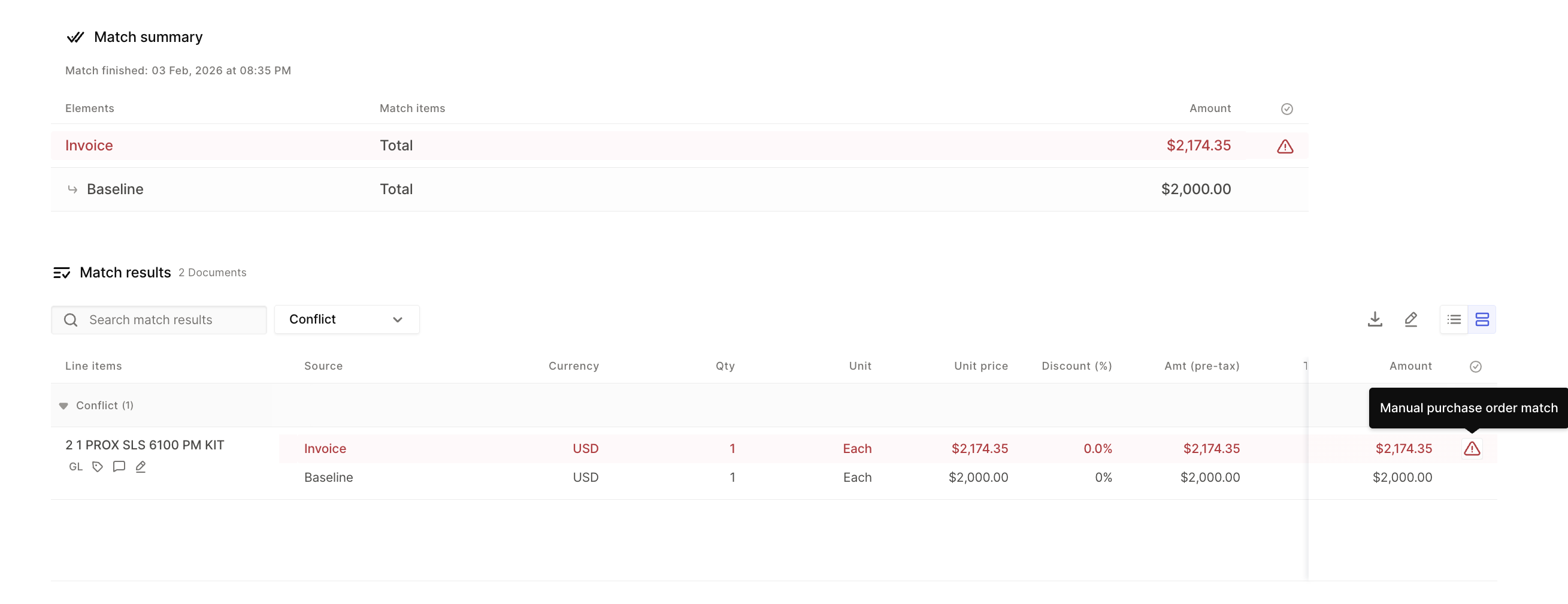
Select the option to manually match the invoice to a PO. This opens the Manual PO Matching interface where you can review candidate PO lines.
Review the suggested PO lines
OpenEnvoy will surface likely PO line candidates. Review the PO line details (description, unit of measure, unit price, quantity, amounts, and available quantities) to confirm what should be matched.
Select the correct PO line(s) for the invoice line
Choose the PO line(s) that correspond to the invoice line you’re matching. Depending on your scenario:
One invoice line may match to one PO line, or
One invoice line may need to be matched across multiple PO lines (for example, split quantities)
Helpful features that make this faster:
Running totals update as you select lines, helping you confirm that quantities/amounts reconcile to the invoice.
Select-all (including selecting filtered results) can speed up workflows with many PO lines.
Confirm and apply the match
After confirming your selections align with the invoice, apply the match. OpenEnvoy will record your selection and proceed with the workflow based on your organization’s configuration.
Best practices for accurate manual matching
Match using identifiers first when available (part number/item number), then validate with quantity and price.
Use available quantity as a guardrail to avoid consuming PO lines that are already fully used.
If you’re working with blanket POs, pay extra attention to dates, receiving activity, and “available” quantities to ensure the invoice is matched to the intended portion of the PO.
Frequently asked questions
Does manual matching replace OpenEnvoy automation?
No. Manual PO Matching is intended for exceptions and edge cases. OpenEnvoy still automates matching wherever it can; manual matching is there for the situations where human judgment is needed.
Will OpenEnvoy keep using my manual choices?
Your manual match is captured as the decision for that invoice/job. Depending on your configuration and workflow, OpenEnvoy may also use the updated information to improve downstream matching behavior and reduce repeated exceptions.
Summary
Manual PO Matching (Half Steering Wheel) gives your team a fast, controlled way to resolve matching exceptions. The screen provides the PO information OpenEnvoy has in context—so you can select the right PO line(s), validate with running totals and availability, and move invoices forward confidently.