Understanding Email Notifications
Last updated: March 30, 2026
OpenEnvoy sends automated email notifications to help you stay informed and take timely action. This article explains the different types of email notifications, how they work, and how to use them effectively.
📬 Priority Status Email (Daily)
What is it?
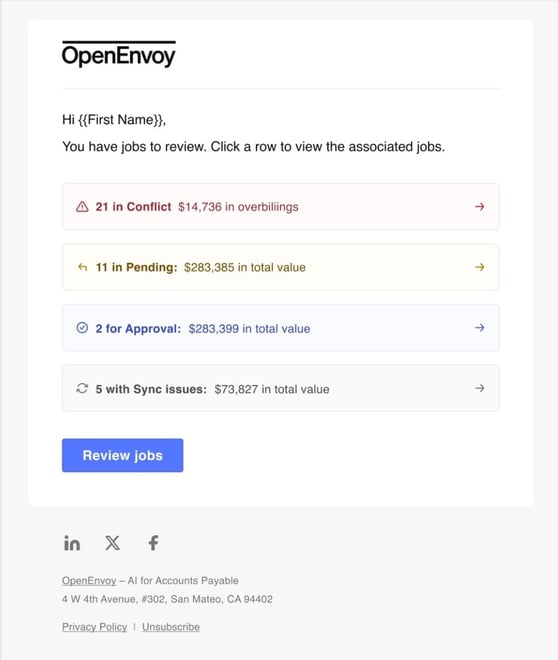
The Priority Status Email is a daily summary email sent to all OpenEnvoy users at 10:00 AM UTC. It consolidates jobs that require your attention into one easy-to-navigate message.
What does it include?
An overview of jobs by key statuses that require your action or approval
Direct links to OpenEnvoy to view and manage jobs by each status
Which statuses are included?
You will only see jobs where you have been directly assigned for action (owner, team member, reviewer, or approver).
Pending – Requires your action to continue matching or processing.
Conflict – A discrepancy has been detected that needs your review.
For approval – You are the current approver on the job.
Sync issue – An error occurred syncing this job to your ERP system.
Want to better understand job statuses? Check out the 📄 Job Status article.
📊 Admin Spend Report Email (Weekly)
What is it?
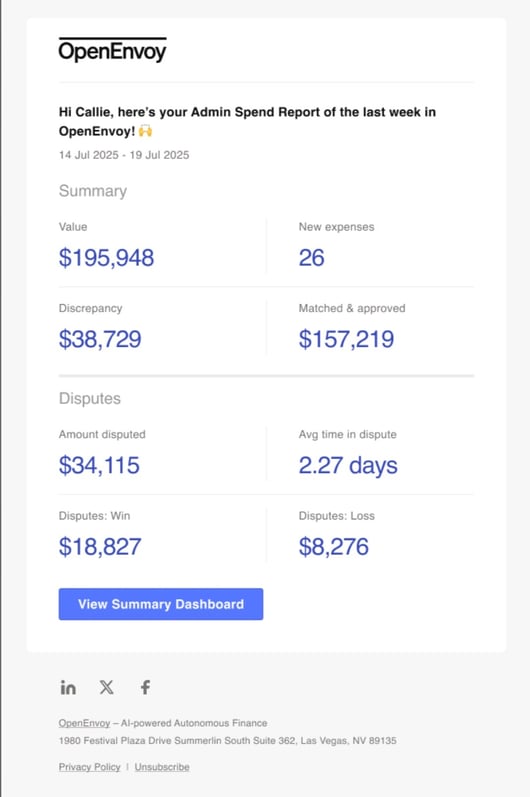
The Admin Spend Report Email is sent every Monday to all Admin users. It summarizes OpenEnvoy's performance for the previous week.
What metrics are included?
Value – Total amount of invoices processed
New expenses – Number of new invoices received
Overbillings – Total flagged overbilling amount
Matched & approved – Amount successfully matched and approved
Amount disputed – Total value of invoices under dispute
Avg time in dispute – Average days a dispute is unresolved
Disputes: Win – Value recovered via disputes
Disputes: Loss – Value lost via disputes
The email includes a button linking directly to the Summary dashboard within OpenEnvoy.
For the full guide on dashboards, visit 📄 Spend Insights (Dashboards)
✅ Email-Based Approvals
What is it?
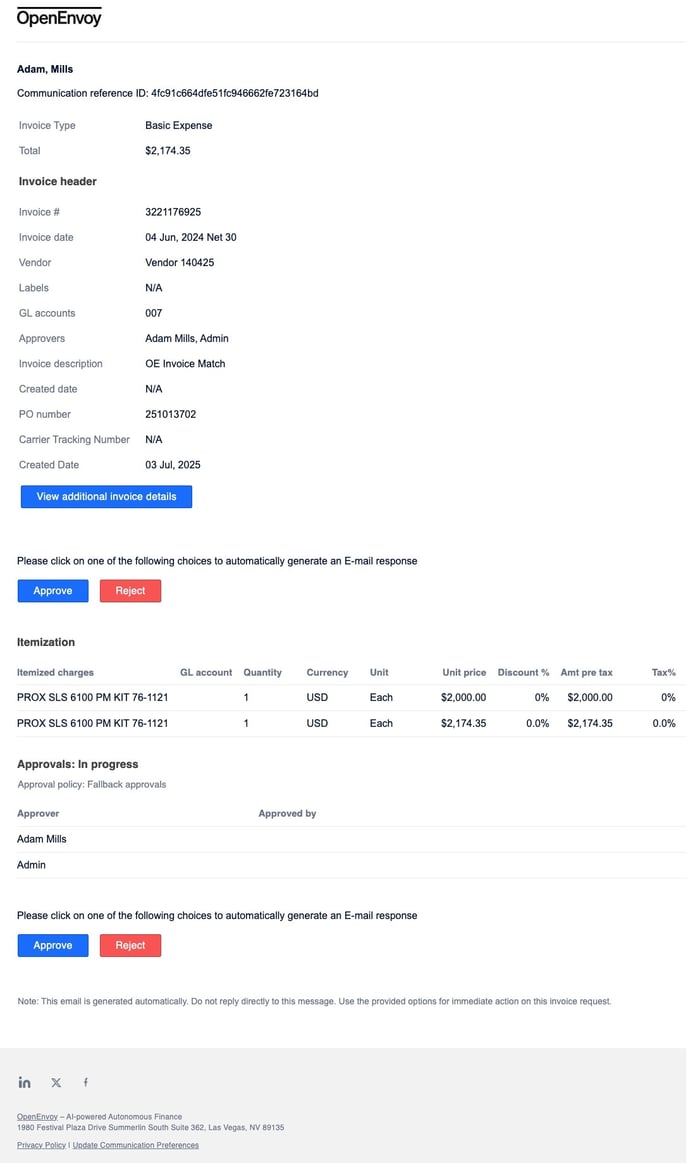
Email Approvals let designated approvers review and act on invoices directly from their inbox—no need to log in to the OpenEnvoy platform.
Each email contains:
A summary of the invoice
Approve and Reject buttons
A direct link to open the job with full details in OpenEnvoy
How do I use it?
Once Email Approvals are enabled in Workspace Settings, you will automatically receive an email when it is your turn to approve a job.
From each email, you can:
Approve – Completes your approval step (no duplicate action if already approved).
Reject – Sends the invoice to Conflict status and records the reason for your rejection.
⏱ If the approver changes, OpenEnvoy will wait 5 minutes before sending a new request—just in case edits are still being made.
Team and Role based approvers
If a Team or Role is selected as the approver, all users belonging to that group will receive the approval email.
🔐 Email Sender Information
All OpenEnvoy notification emails are sent from: 📧 no-reply@openenvoy.com